

How do I report this, and what details will the team need?
Collect answers and evidence in context, so the team reviewing the issue has a better starting point.
- Ask the relevant questionsUse conditional fields to guide the next step.
- Get the context first timeCollect asset details and supporting evidence together.
- Give your team a clearer handoverReview structured responses instead of piecing together messages.
Conditional fieldsPhoto evidenceSubmission review
9:41
Form and submission review
EQUIPMENT CHECK · PUBLISHED VERSION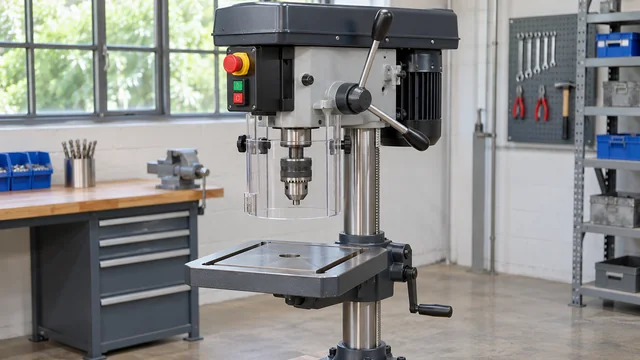 Supporting evidence
Added to the report
What needs attention?
EquipmentWorkshop · Unit 024
Issue description
Example report with the equipment in context.
Supporting evidenceAdded to the report
Ready for the team to review
Information and actions together
Open a relevant form, follow its questions and add supporting evidence where configured.
Less unstructured back-and-forth and a clearer record for review.
See the useful next step
A closer look at dynamic forms.
- 01
Ask the relevant questions
Build sections and conditional questions for the information your process needs.
- 02
Publish a consistent version
Published form versions preserve the structure associated with submitted answers.
- 03
Review and route
Review responses and evidence, with configurable email or webhook delivery.
The marketing previews use fictional data and do not send submissions. Form access and evidence depend on configuration and permissions.
Manage it without repeating the work
A better service, with less repeated setup.
Use existing forms as a starting point, publish versions and review submissions together. Service-case handoff is available for configured workflows; bespoke work is scoped separately.
Make it feel like your organisation.
Use your identity consistently and choose appropriate public, customer or internal access for the resources you share.
Explore branding and themes →Put it to work
Useful in more than one setting.
 Equipment & checks
Guidance beside the machine. A better record of the check.
Connect operating information and configured checks to the equipment your team uses.
Explore equipment & checks Places & facilities
One place. The right starting point for each person.
Help visitors, staff and contractors find useful information or report a facilities issue in context.
Explore places & facilities Vehicles & specialist fleets
Support the vehicle. Equip the people around it.
Give drivers, customers and service teams a useful starting point for vehicle information and configured workflows.
Explore vehicles & specialist fleets