

“How do I use this?” “Who can help?” “Where do I report it?”
QR codes, supercharged.
One scan.
Everything they need.
Right where they need it.
- Help people help themselvesGive them a clear guide or a how-to video, right when a question comes up.
- Make the next step simpleLet people report a problem, fill in a form or reach the right person.
- Free up your teamReuse your guides and update them in one place, so your team has less to repeat.

More than a single link. A whole hub of help.
Supercharge the QR code on your product, equipment or place with relevant videos, guides, images, contacts and forms. Give people what they need at the point of use, while your team keeps it current in one place.
Scan an InfoCode for relevant guidance, contacts or a configured form.
Help people move forward, with fewer repeat explanations for your team.
One platform. Many useful journeys.
Built around the person and the moment.
From a guest’s appliance question to a workshop check: choose the resources and actions that fit.
9:41

Your guide to Seabrook Cottage Using your appliances
Your cottage guide
Using your appliancesEverything for your stay
Wi-Fi & arrival detailsThe practical essentials
Appliance video guidesWatch how it works
Explore the areaLocal information & images
Holiday stays


Explore a branded experience for each use.
A better experience for customers. Less work for your team.
Useful for them. Easier for you.

Provide all the information users need
Help people help themselves.
Useful answers at the product or place, with support close by.
Give people a useful next stepYour information hubGuidance · contacts · forms Your information hubGuidance · contacts · forms
 Your information hubGuidance · contacts · forms
Add your logo and brand
Your service. Your identity.
A familiar welcome, from the first scan to the next action.
Make the experience your ownEquipment information packManual · video · contacts
One shared starting point
Unit 024Unit 025Unit 026
Optimised to save you time
Create once. Keep helping.
Templates and shared resources mean less repeated preparation.
Spend less time setting upChoose what helps your users
A versatile toolkit. Useful in the moment.
Combine the guidance and actions that fit your customers, products and places.
Video
Show the answer.
A practical demonstration, ready when someone needs it.
Hosted video · YouTube · VimeoHelp people see how it works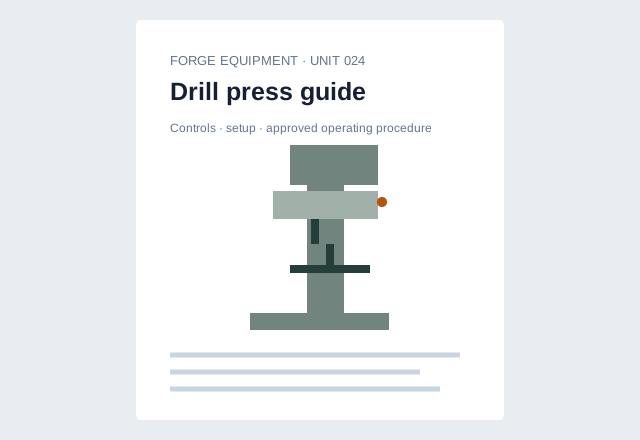
Documents
Keep the details close.
Manuals, warranties and care instructions, with the asset.
Shared resources · current informationPut useful documents within reach
Images
Make the detail clear.
Photos and diagrams help people recognise the right part or place.
Visual guidance · image librariesGuide people with useful images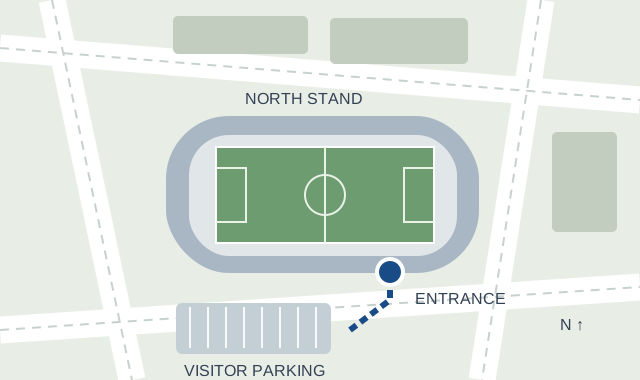
Practical information
Give them a starting point.
Arrival details, site guidance and the answers people look for.
Maps · instructions · FAQsConnect the scan to the next step
Workshop supportYour equipment service team
Contact cards
Find the right help.
Keep the appropriate support contact alongside the guidance.
Hosts · service teams · installersConnect people to useful supportEquipment check · Unit 024 Guard condition recordedAttach supporting evidence
Dynamic forms
Get the context first.
Collect relevant answers and evidence for your team to review.
Configured questions · submission reviewTurn questions into useful reportsWhere is the operating guide?Ask about this asset
Optional AI
Another route to guidance.
Explore information connected to the product or place.
Separately costed · subject to availabilityExplore asset-question assistanceYour welcome. Your resources.Your welcome. Your resources.Your welcome. Your resources.Branding & themes
Make it feel like you.
Carry your logo and colours through the customer experience.
Configured themes · your identityCreate a familiar branded welcomeAI is optional and separately costed.
Behind every useful scan
Set it up once. Save time every day.
Templates, shared content and one place to manage it all. Spend less time preparing information and more time helping customers.
Create with templates. Reuse the content.
Start from a template. Reuse documents, videos and guidance across assets instead of rebuilding each hub.
Build, publish and review
Publish forms and review answers and evidence together. Configure email or webhook delivery when needed.
Decide who can see what
Public, customer or internal resources. Roles and permissions keep the right people in control.
CENTRAL ADMINISTRATIONUseful content.
Useful content.
The right access.
Equipment information templateManual · video · contact detailsReuse for Units 024, 025 and 026
ResourceVisibility
Know the drill controlsVideo · shared with 24 assets
PublicEquipment operating guideDocument · customer resources
CustomerService procedureDocument · authorised team
Internal New form submissionEquipment check · Unit 024
Answers and supporting evidence, ready for review.
Access depends on resource settings, membership and permissions.
Familiar QR codes. More useful destinations.
A sticker on a machine. A poster by the door. A card at handover.
An InfoCode is the QR-code starting point for your information and actions. Put it where the question happens: open a branded hub, a document or a form, and keep the content current behind the same code.
FORGE EQUIPMENTKnow your machine.Guides · checks · supportPRESS 024
Asset stickers
Bring operating information and checks to equipment, products or vehicles.
NORTHFIELD VENUESNeed to know?
Start here.Scan with your phone camera
Start here.
Visitor information
Site guidance · Report an issue
Scan with your phone cameraPosters & signs
Give visitors and contractors a clear starting point at entrances and shared spaces.
COAST & COTTAGEMake yourself
at home.Guides · videos · useful contacts
at home.
Your stay, one scan away.
Guides · videos · useful contactsWelcome & handover cards
Keep practical guidance with a guest, customer or new installation.
The sample codes open the InfoCentre platform overview. Physical labels and print are separately priced.
Explore InfoCodesCustomer stories & testimonials
See how businesses put it to work.
Different products. Real customer perspectives. Explore how InfoCentre supports the service beyond the handover.


Specialist vehicles
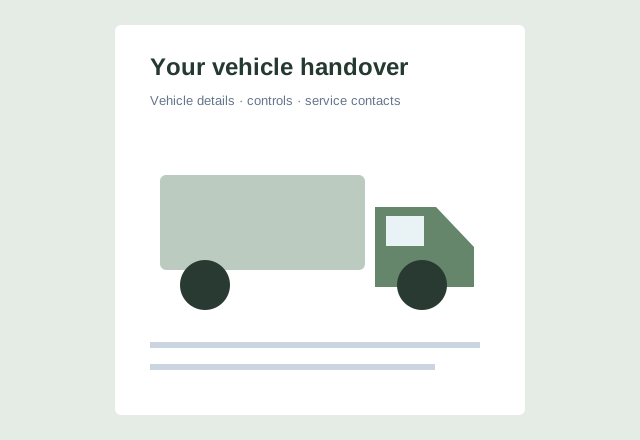
Make a specialist vehicle handover work harder.
“InfoCentre helped us to stand out and showcase the specialist body work we do – our customers love seeing all the details in one place.”

VEGAS KITCHENS
Kitchens & installations
Keep the kitchen knowledge with the customer.
“I add InfoCentre to every kitchen we sell so my customers can easily access information on specs, warranties, and appliances. It reduces our customer service calls and makes life easier for our customers.”
A plan for every scale
Start free. Grow from there.
Pay per asset or choose a package. No per-user charges.
Free
£0No subscription
1 assetTry one small information point.
Start free →Pay as you go
£9per active asset / month
No asset capPay for the active assets you use.
Get started →Starter
£59per account / month
Up to 20 assetsA package for a small portfolio.
Get started →Growth
£149per account / month
Up to 100 assetsRoom for a growing operation.
Get started →Business
£299per account / month
Up to 500 assetsMore capacity for a busy operation.
Get started →Enterprise
By quoteAgreed with you
500+ assetsAn agreed package for larger scale.
Talk to us →Start with a real use
What could one scan do for your customers?
Show us a product, a place or a recurring question. We’ll explore the guides, contacts and forms that could help your users, and how your team can keep them useful.
Your questions, answered
Could InfoCentre work for you?
Understand what your customers can do, what your team manages and how to get started.
What can someone do after scanning an InfoCode?
Open a branded hub of videos, documents, images, contact details and forms, or go straight to a specific resource. Help someone follow an instruction, find the right person or report a problem, right where they need help. Your team maintains the destination behind the QR code.
See what you can put behind a scan →What can I use InfoCentre for?
An asset can be a product, vehicle, piece of equipment, property or an entire facility. Give customers aftercare information, help drivers use a vehicle, guide guests or put instructions beside a machine. Start with the questions your team answers repeatedly and build around that need.
Find a use that fits your organisation →Do customers need to download an app or create an account?
Public information opens in a browser, so people can scan and get started without an app download. Restricted resources and some actions require sign-in and appropriate permissions. We can help you choose what should be public and what needs controlled access.
Talk through access for your customers and team →Can it look and feel like our organisation?
Yes. Paid standard packages include your logo and colours, so the information journey feels connected to your service. Configure welcome content and presentation for your audience. Branded URL options and more specialist requirements can be discussed as part of your setup.
Explore branding and themes →Can one asset have several codes and forms?
Yes. One asset can have several resources, forms and InfoCodes. A code can open the main hub, a particular guide or a configured form, giving different people the right starting point. More codes do not automatically mean more asset subscriptions; your package’s resource and usage allowances still apply.
Discuss the right starting points for your asset →How much work is involved in setting up and keeping content current?
Use the admin portal to organise resources, start from templates and reuse content across relevant assets. Update a shared resource centrally rather than maintaining separate copies. You provide and check the information; if you want help preparing content or getting set up, we can quote for that too.
See how templates and central management help →How do I choose a plan, and do I pay for each user?
Choose by active asset count and the resources and activity you need, with capacity pooled across your account. Free covers one small information point; Pay as you go charges per active asset with no asset cap. Packages support larger or busier uses. There are no per-user or customer-tenant charges. We can help match a package to your needs.
Compare asset allowances, features and prices →Is AI included in the price?
AI is separate from every base plan. Asset-question assistance is optional and subject to availability, with costs and usage terms agreed before setup. Hands-on setup, training and bespoke work are also quoted separately.
Talk through AI and setup options →Can we see how it would work for our business?
Yes. Bring a product, asset or recurring customer question and tell us what people need to know or do. We can walk through a relevant example, discuss branding and access, and suggest a practical starting point. Your enquiry is a conversation, with scope and costs agreed before setup.
Request a demo for your use case →Have an asset in mind? Let’s explore what would help its users.
Request a demo