

Prepare the useful content, choose access and connect an InfoCode.
How it works
Prepare once.
Help people every day.
There’s useful information to prepare, and we’ve made that work easier. Bring your existing guidance together, reuse it across assets and keep it current in one place. Then give people a familiar QR scan to find answers and take the next step.
- Make your preparation go furtherStart with templates and share resources instead of repeating the setup.
- Help people help themselvesGive users the relevant video, manual, contact or form at the asset.
- Make follow-up easier for your teamKeep answers within reach and collect useful details when support is needed.
ScanFind & actManage & reuse
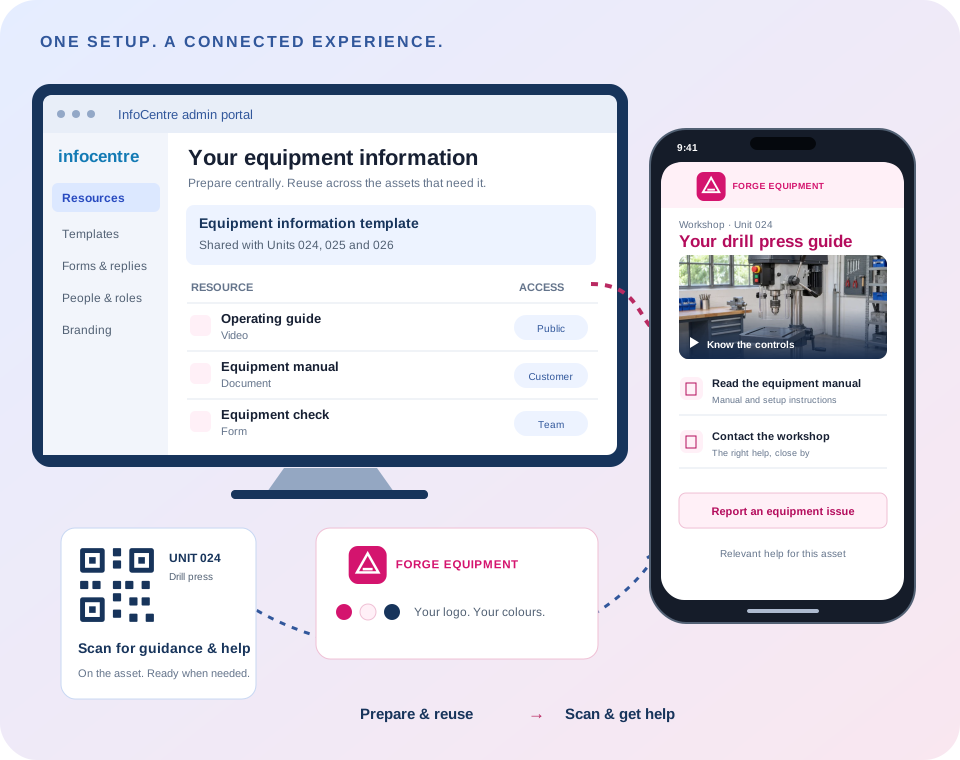
Scan the asset. Choose the guidance or action that helps right now.
Less repeated explanation, with better context when someone needs your team.
For your team · make setup efficient
Do the preparation. Make it worth reusing.
- 01
Start with the knowledge you have
Bring together existing videos, manuals, photos and contact details. Choose what people genuinely need for the product, equipment or place.
- 02
Turn common work into a reusable starting point
Apply templates, share resources across relevant assets and add the forms you need. Keep asset-specific details alongside the common guidance.
- 03
Make it yours and keep it current
Add your logo and colours, choose who can see each resource and update shared content centrally. Management roles control who can maintain it.
CENTRAL ADMINISTRATIONUseful content.
Useful content.
The right access.
Equipment information templateManual · video · contact detailsReuse for Units 024, 025 and 026
ResourceVisibility
Know the drill controlsVideo · shared with 24 assets
PublicEquipment operating guideDocument · customer resources
CustomerService procedureDocument · authorised team
Internal New form submissionEquipment check · Unit 024
Answers and supporting evidence, ready for review.
Access depends on resource settings, membership and permissions.
9:41
 Equipment check · Unit 024
Pre-use equipment check
Record what you found.
EquipmentDrill press · Unit 024
Guard conditionChecked · no issue noted
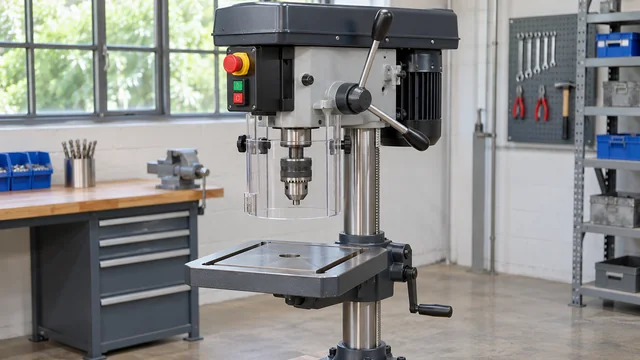 Equipment reference photoSupporting evidence
Answers ready for review
Example answers only. Follow your organisation’s approved procedure.
For the person on site · find and act
Let people get on with it. Keep support close.
- 01
Place the InfoCode where it helps
Use a sticker on the equipment, a poster at an entrance or a handover card. Open the whole hub or link directly to a resource or form.
- 02
Give people an answer they can use now
Let them watch the how-to, read the manual or find the right contact without waiting for your team to send it. Public guidance opens in a browser; restricted content requires appropriate access.
- 03
Make the next conversation more useful
When someone needs help, a configured form can capture the asset, answers and evidence. Review the details together in the admin portal, with email or webhook delivery configured where needed.
Once it is in place
Keep the knowledge useful. Reduce the work you repeat.
- Update shared guidance once
- Maintain a shared resource centrally, so the assets using it point to the current guidance. Keep checking that the content is right for its audience.
- Spend less time gathering the basics
- Use configured forms to bring questions, issue details and supporting evidence together before your team follows up.
- Build on what already works
- Start with one useful asset or workflow, then reuse the approach across more products, vehicles, equipment or places.
More codes do not automatically mean more asset subscriptions. Resource-heavy locations may need shared Business capacity; usage and configuration are agreed for your rollout.
Start with a real use
What could one scan do for your customers?
Show us a product, a place or a recurring question. We’ll explore the guides, contacts and forms that could help your users, and how your team can keep them useful.